
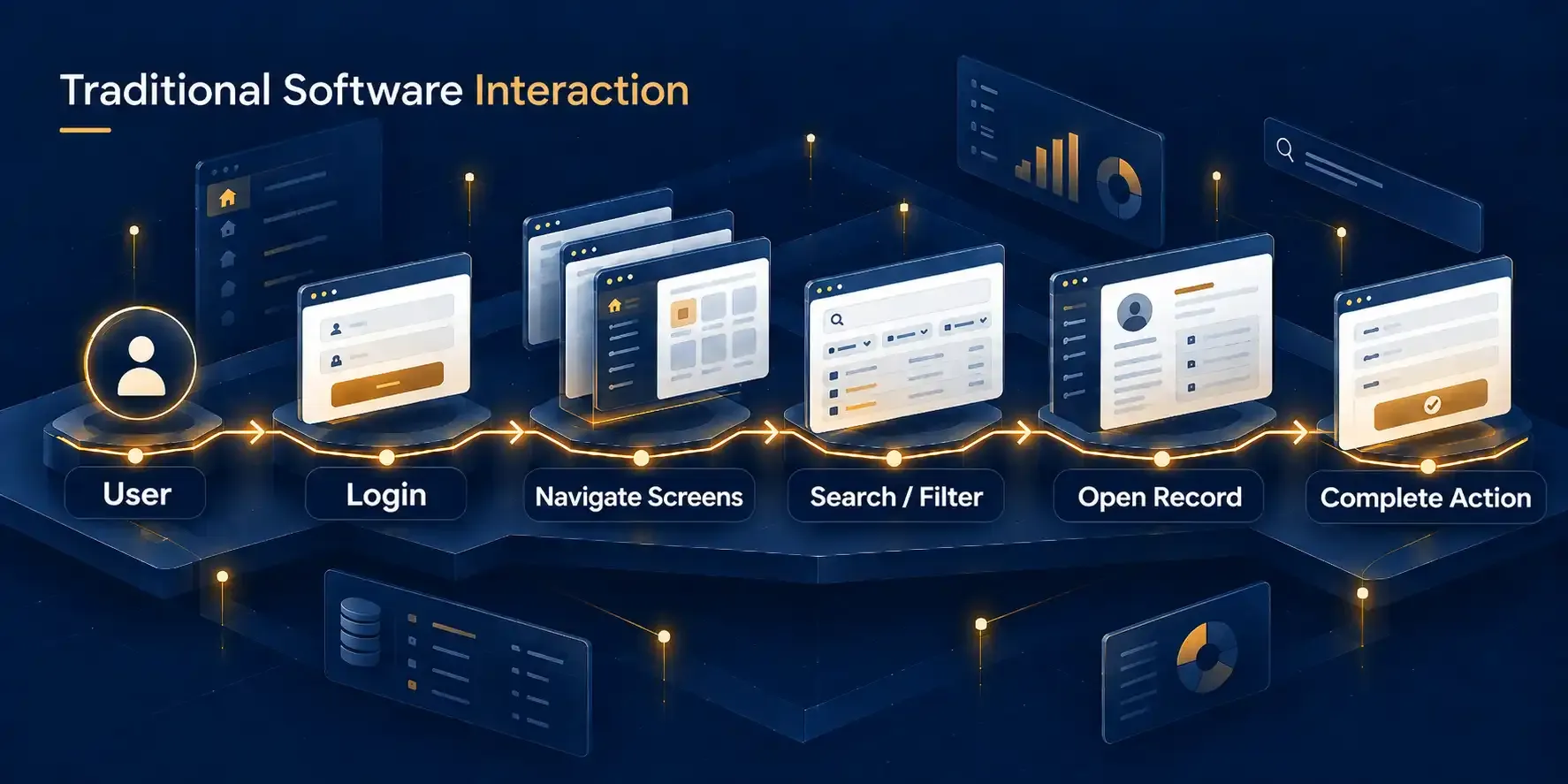
The application remains powerful, but the user must understand where information and actions live.
Noorisys MCP Integration Engineering
Enable users to securely access data, retrieve records and perform approved actions in your existing software through AI assistants such as ChatGPT, Claude and Grok.
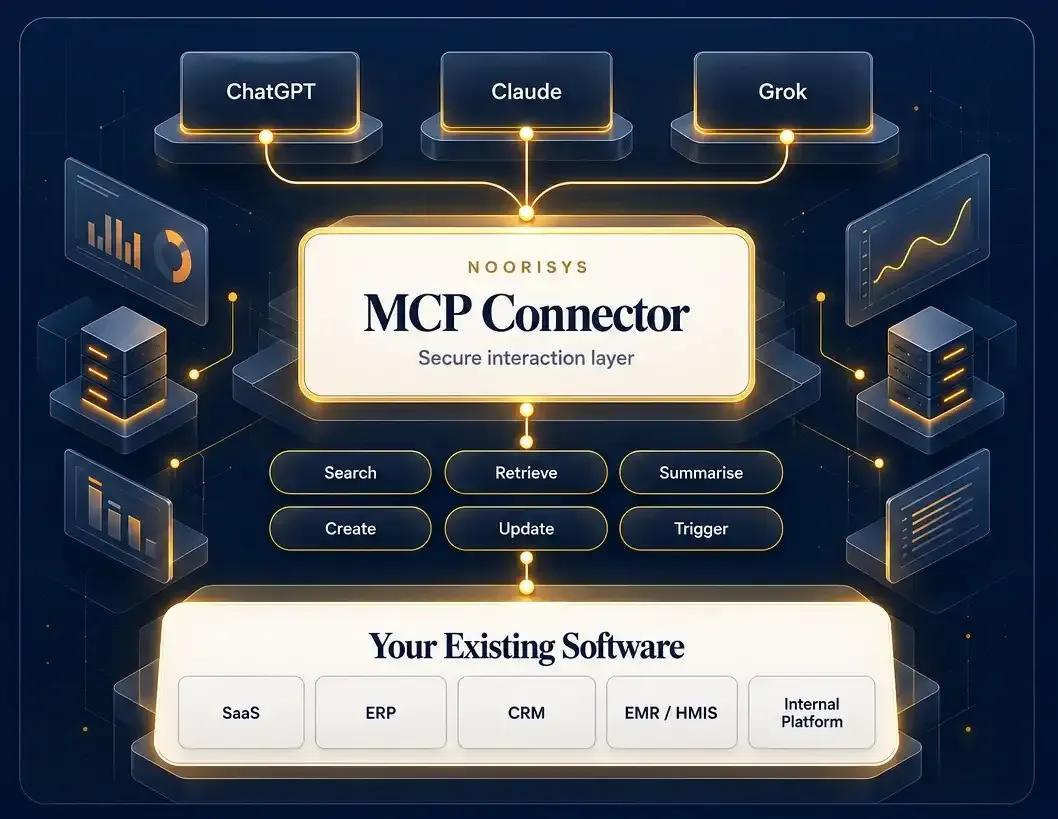
Existing Software
Keep your current platform
Secure Access
Authentication and permissions
Read + Action
Retrieve data and trigger approved workflows
Multi-AI Ready
Built for supported MCP-enabled environments
Watch how an existing healthcare EMR/HMIS platform was connected to an AI assistant through MCP, allowing an authorised user to find information, retrieve clinical records and perform a controlled action in the underlying system.
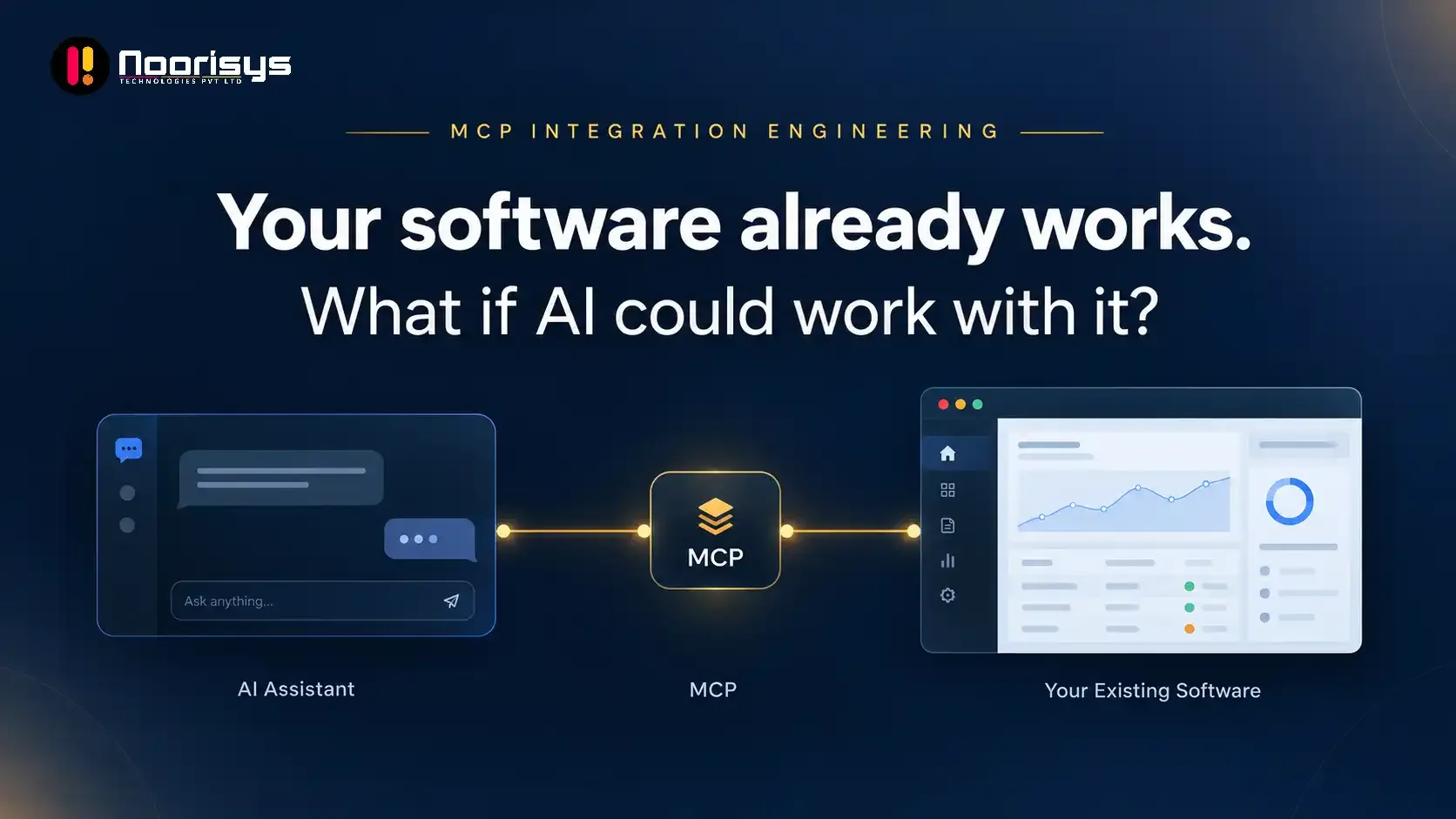
From AI Conversation to Real Software Action
1. ASK
“Find the patient and show the latest clinical information.”
2. MCP CONNECTS
The AI assistant securely accesses approved capabilities from the existing healthcare system.
3. SOFTWARE RESPONDS
Information is retrieved and approved actions can be written back to the underlying application.
This is not a conceptual animation. The demonstration shows an MCP integration implemented by the Noorisys engineering team for an existing healthcare software platform.All patient names, records and clinical information shown in this demonstration are fictional demonstration data.
Business software has traditionally required users to navigate screens, menus, filters and forms to access information or complete a workflow. AI assistants are changing that interaction model. With an appropriately engineered MCP integration, selected capabilities of your existing software can become available through natural-language conversations while your application remains the system of record.
The application remains powerful, but the user must understand where information and actions live.
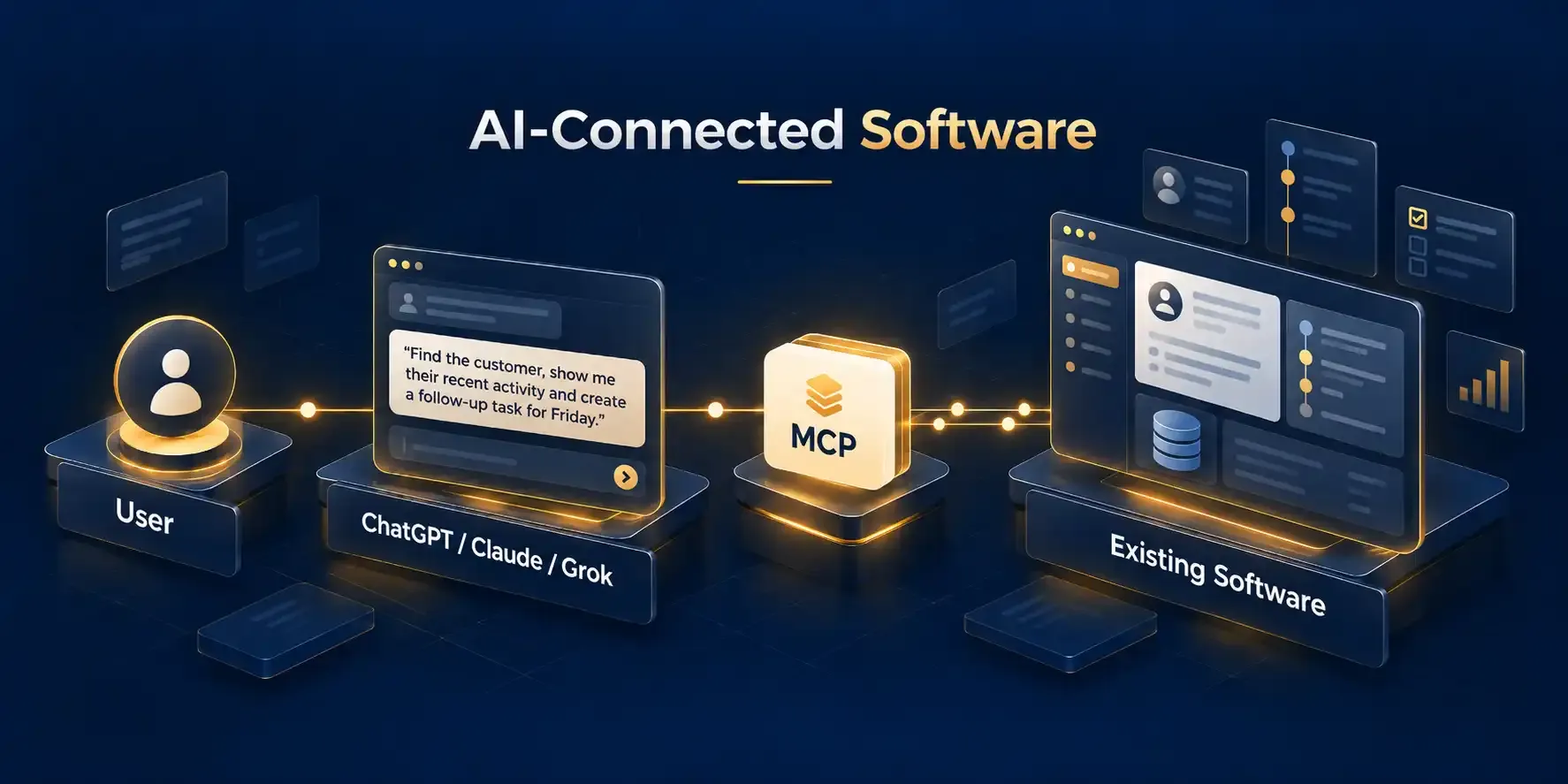
The same underlying software and permissions, accessed through a conversational interface where appropriate.
A well-designed MCP integration can expose specific, controlled capabilities from your existing application to compatible AI environments.
01
Allow authorised users to find customers, patients, orders, projects, cases, documents or other records using natural language.
02
Bring relevant information from your application into an AI conversation without manually copying data between systems.
03
Use AI to interpret selected data retrieved from your application and present it in a more useful conversational format.
04
Allow approved workflows to create structured records in your system when appropriate permissions and validations are satisfied.
05
Expose carefully controlled update actions for appropriate business workflows.
06
Enable AI-assisted initiation of existing business processes, tasks or system actions through defined MCP tools.
MCP creates a standardised way for supported AI applications to discover and use capabilities exposed by your software. Noorisys engineers the integration around your existing APIs, business logic, permissions and infrastructure.
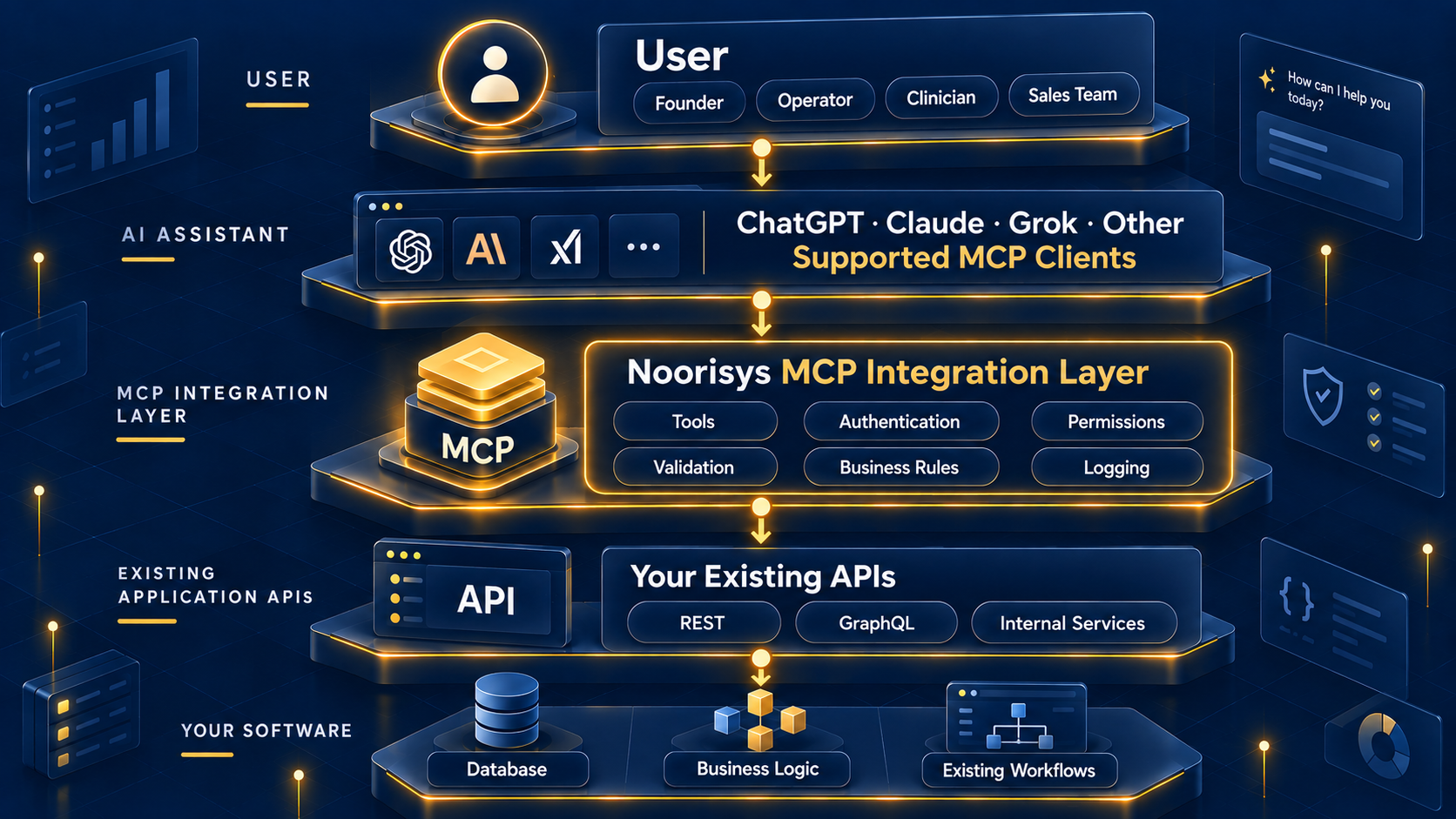
The underlying application continues to own its data, rules and workflows.
The MCP layer defines precisely which tools and actions AI clients can access.
The architecture can be designed around user authentication, roles and authorised access.
Expose industry-specific capabilities directly to AI assistants while retaining the application's specialist business logic.
Convert selected existing APIs into carefully defined MCP tools that AI environments can understand and use.
The best MCP use cases are not determined by industry alone. They are determined by which existing workflows become faster, easier or more valuable when accessed conversationally.
Connecting an AI assistant to operational software requires more than exposing an API. Authentication, authorisation, data boundaries and business rules must be considered from the beginning.
Support appropriate authentication flows, including OAuth where required by the target environment and system architecture.
Design tools around the roles and permissions users already have within the source application.
Separate information retrieval from actions that create or modify records.
Expose only the specific functionality required for approved use cases.
Ensure MCP actions pass through relevant application rules rather than bypassing the application's logic.
Where required, record MCP requests and actions to support operational oversight and troubleshooting.
01
We review your existing application, target users, APIs, authentication model and the workflows you want AI assistants to support.
DELIVERABLE
Prioritised MCP use-case definition.02
We identify the initial tools, required inputs and outputs, permissions, validations and read/write boundaries.
DELIVERABLE
MCP integration scope and tool specification.03
We build the MCP layer and connect it with the appropriate APIs and business logic of your existing software.
DELIVERABLE
Working MCP integration in a controlled environment.04
We test tool discovery, authentication, permissions, data handling, expected actions, failure scenarios and AI-client behaviour.
DELIVERABLE
Validated integration ready for deployment.05
The approved integration is deployed and can subsequently be expanded with additional tools, workflows or supported environments.
DELIVERABLE
Production MCP capability with a roadmap for expansion.MCP Integration Engineering
If you already operate a SaaS platform, business application or internal system, we can assess which workflows could be securely exposed to supported AI assistants through MCP.
Start with one valuable workflow. Prove the interaction. Expand from there.
We review your software, APIs and target workflows.
If MCP is a fit, we propose a focused assessment or discovery call.
If not, we'll be transparent about prerequisites and alternatives.
Loading form…
No spam. No commitment. We respect your privacy.